 English
▼
English
▼
 العربية
 Deutsch
English
 Español
 فارسی
فارسی
 Français
 Indonesia
 Italiano
 日本語
日本語
 한국어
한국어
 Nederlands
 Norsk
Norsk
 Polski
 Português
 Română
 Русский
 ไทย
ไทย
 Türkçe
 Українська
 Tiếng Việt
 简体中文
简体中文
 繁體中文
繁體中文
Complete Guide to Installing iOS Apps via AppDB.to
⚠️ Warning: Installing applications from unofficial sources may violate Apple's terms of service, potentially affect device security, and void your warranty. This tutorial is provided for educational purposes only.
1. Prerequisites
What You'll Need:
- iOS device (iPhone or iPad)
- Apple ID (preferably not your main account)
- Computer with Windows, macOS, or Linux (for some methods)
- Internet access
- Web browser (Safari, Chrome, or other)
2. Is Jailbreak Required?
AppDB.to offers two main methods for installing applications:
For Jailbroken Devices:
If your device is jailbroken, you can use AppDB without additional restrictions. Installation will be simpler, and you'll have access to all applications.
For Non-Jailbroken Devices:
AppDB.to uses an application signing technique that allows you to install apps without jailbreaking. This requires linking your device using an Apple Developer certificate or purchasing a PRO subscription.
Note: For non-jailbroken devices, there are limitations on the number and type of applications that can be installed. A PRO subscription removes many of these limitations.
3. Linking Your iOS Device
Step 1: Access the Device Linking Page
Go to the appdb.to homepage and click the "Install appdb" button in the header.
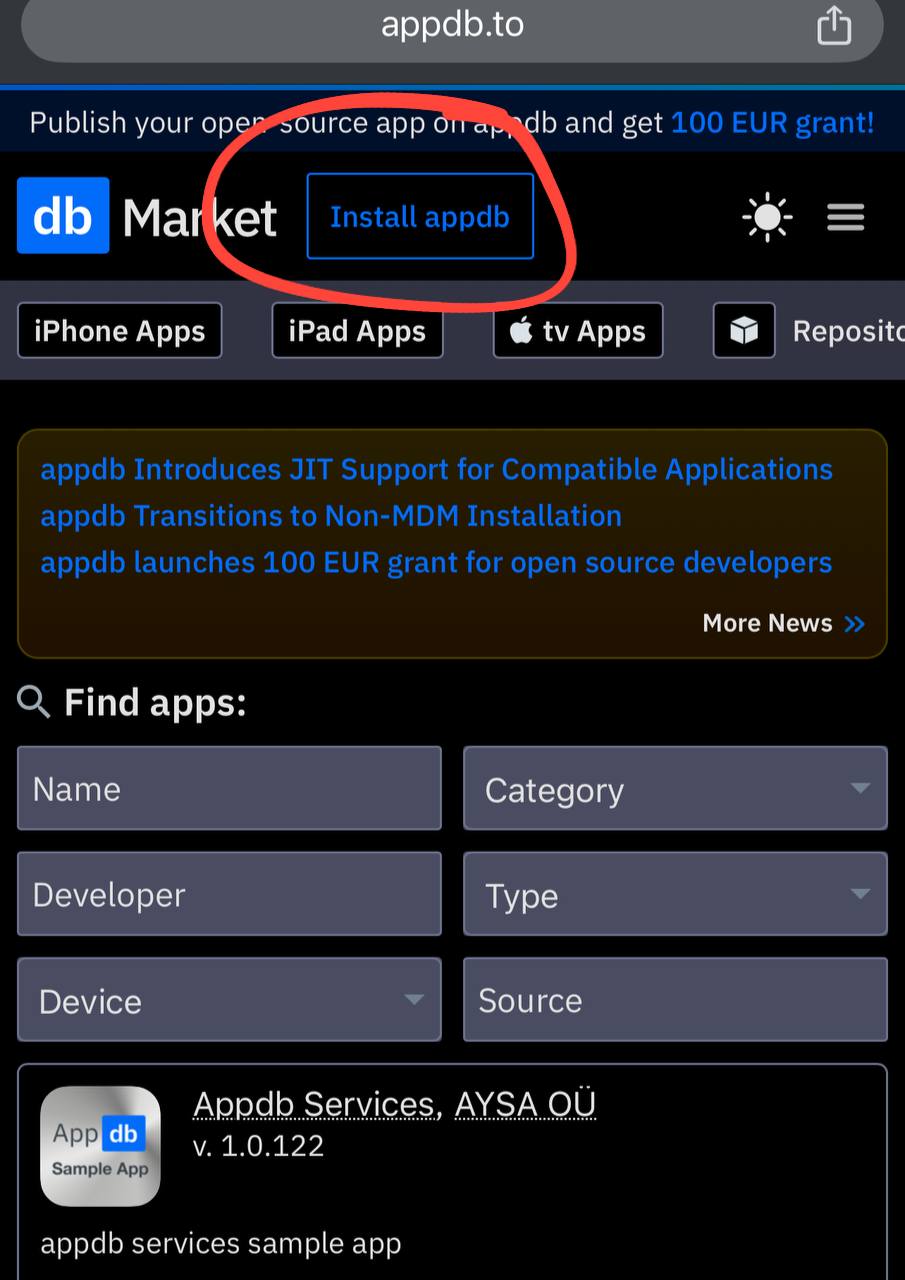
Click the "Install appdb" button to begin the process
Step 2: Enter Your Email
Enter the email address you want to use for linking your device. Important: Do not use Apple-provided emails like @icloud.com, @me.com, or @mac.com. Use your own email address that is not registered with Apple.
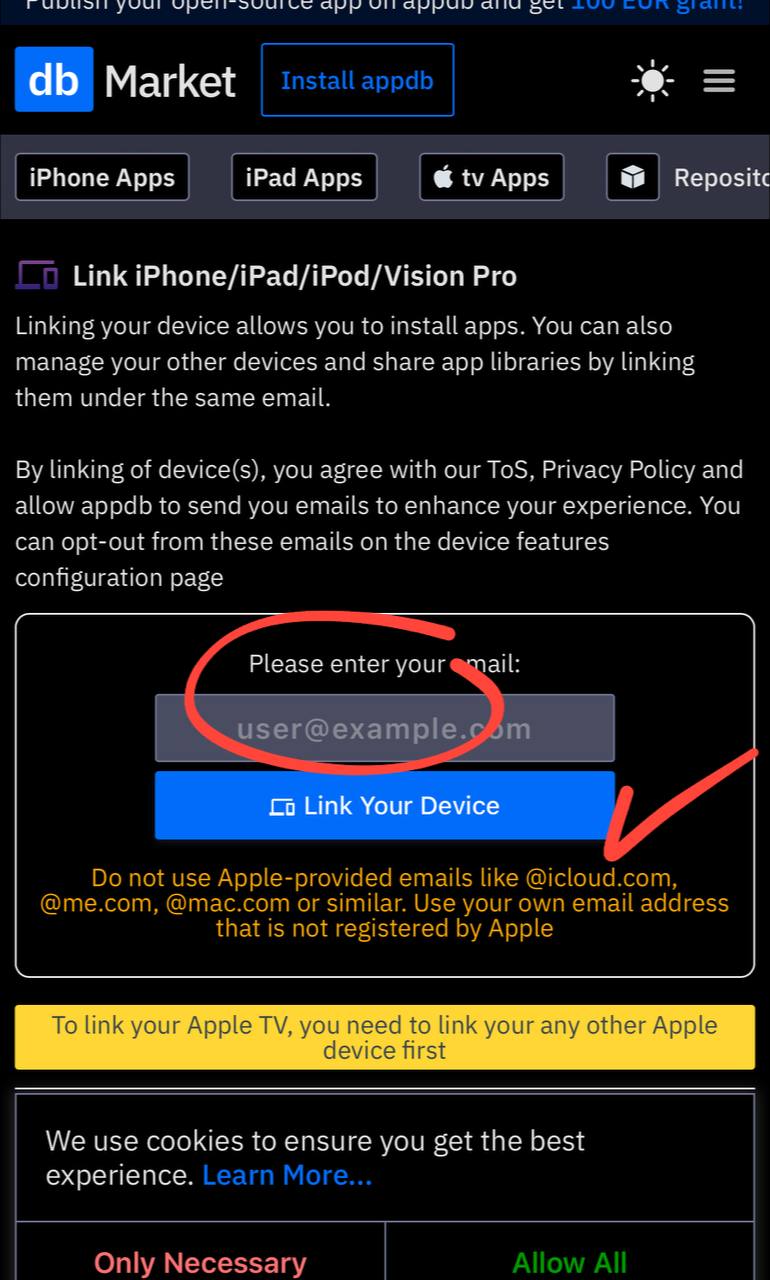
Enter your email address and click "Link Your Device". Note the warning not to use Apple-provided emails
Step 3: Download and Install the Configuration Profile
After entering your email, you'll be prompted to download a configuration profile to your device.
- Click "Continue" when prompted to download the configuration profile
- When asked if you want to allow the website to download a configuration profile, tap "Allow"
- Open the Settings app on your iOS device
- You should see a notice that a profile has been downloaded. Tap on it to proceed with installation
- Tap "Install" in the top right corner
- If prompted, enter your device passcode
- Tap "Install" again to confirm
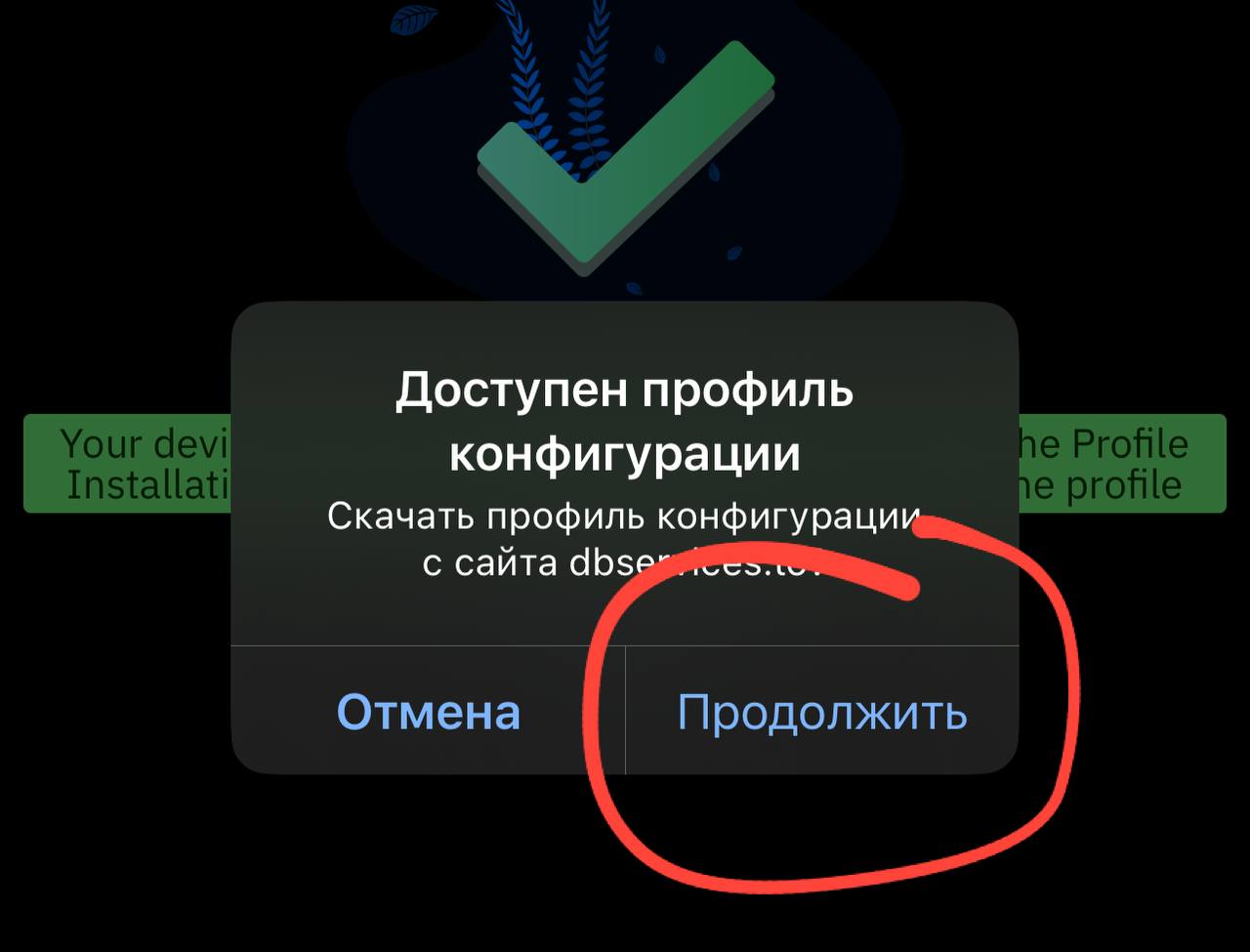
Tap "Continue" to download the configuration profile
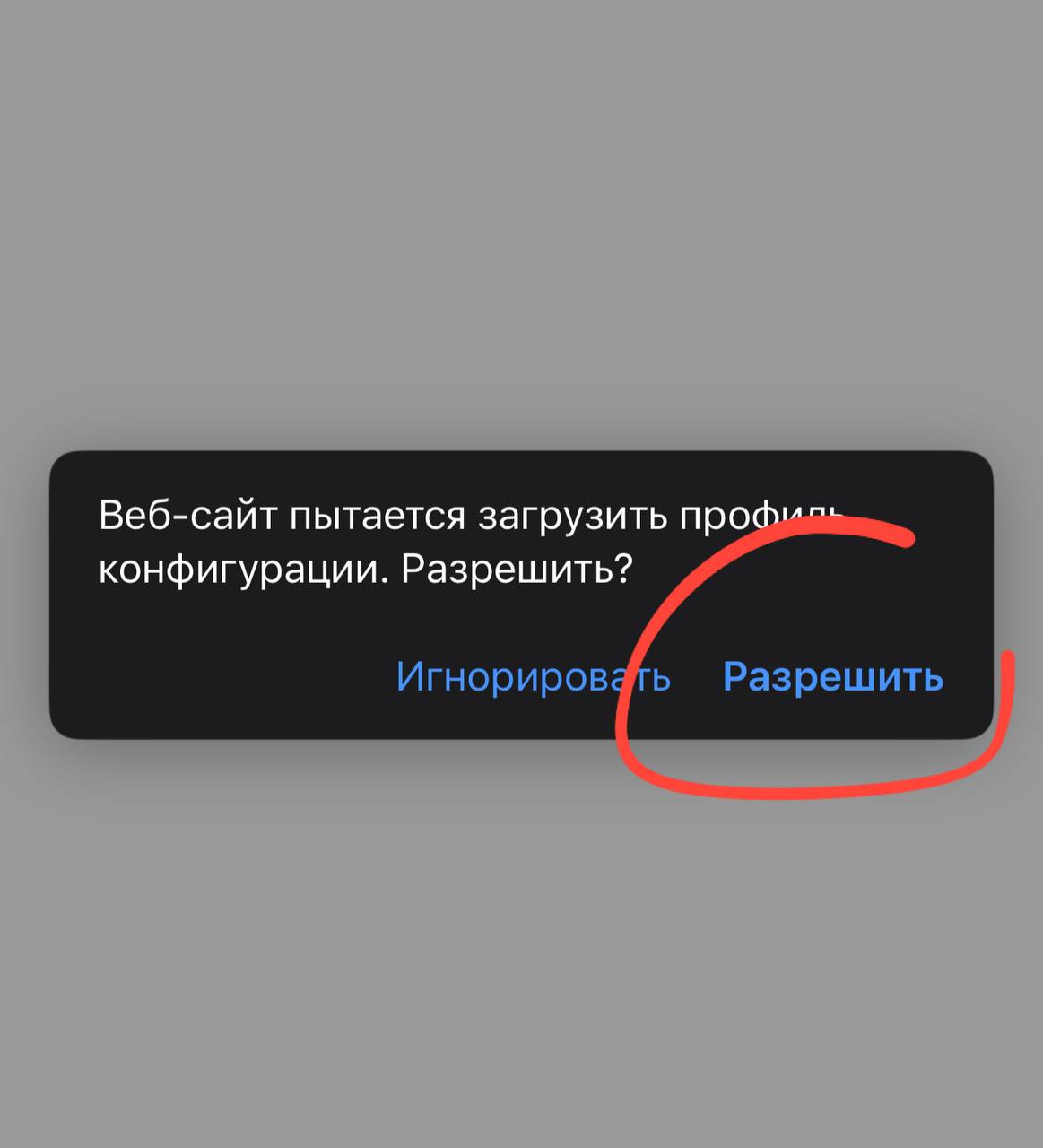
Tap "Allow" when prompted to download the profile
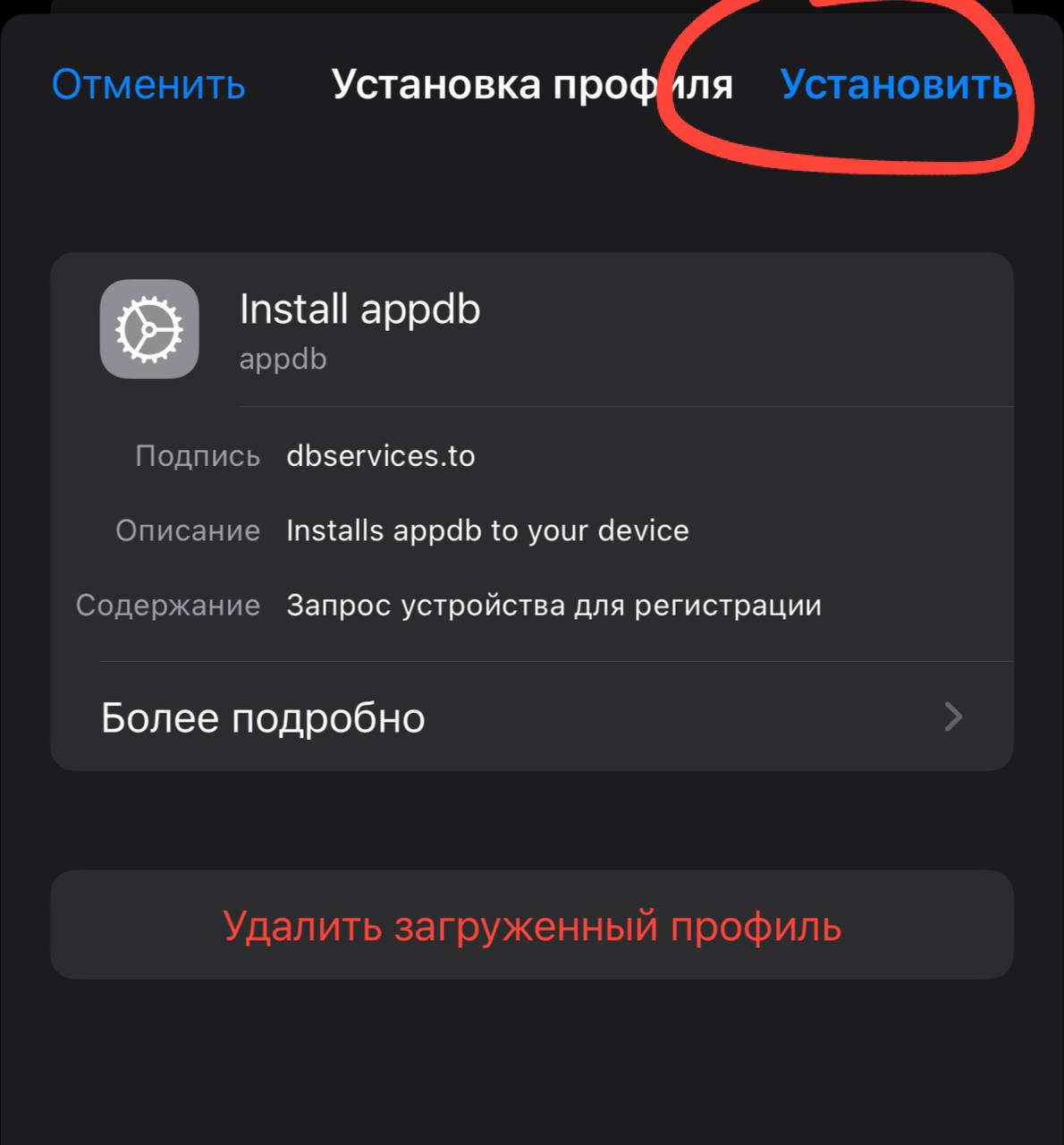
Tap "Install" to install the profile
Note: After installing the profile, your device is now linked to AppDB. You can return to the AppDB website where you'll see your device information.
4. Finding and Installing Apps
Method 1: Installing Apps from the AppDB Catalog
- Go to the AppDB website with your linked device
- Browse the catalog by category or use the search function to find the app you want
- Click on the app to open its details page
- Click the "Install" button
- Confirm installation when prompted
- Wait for the installation to complete
Method 2: Installing IPA Files Directly
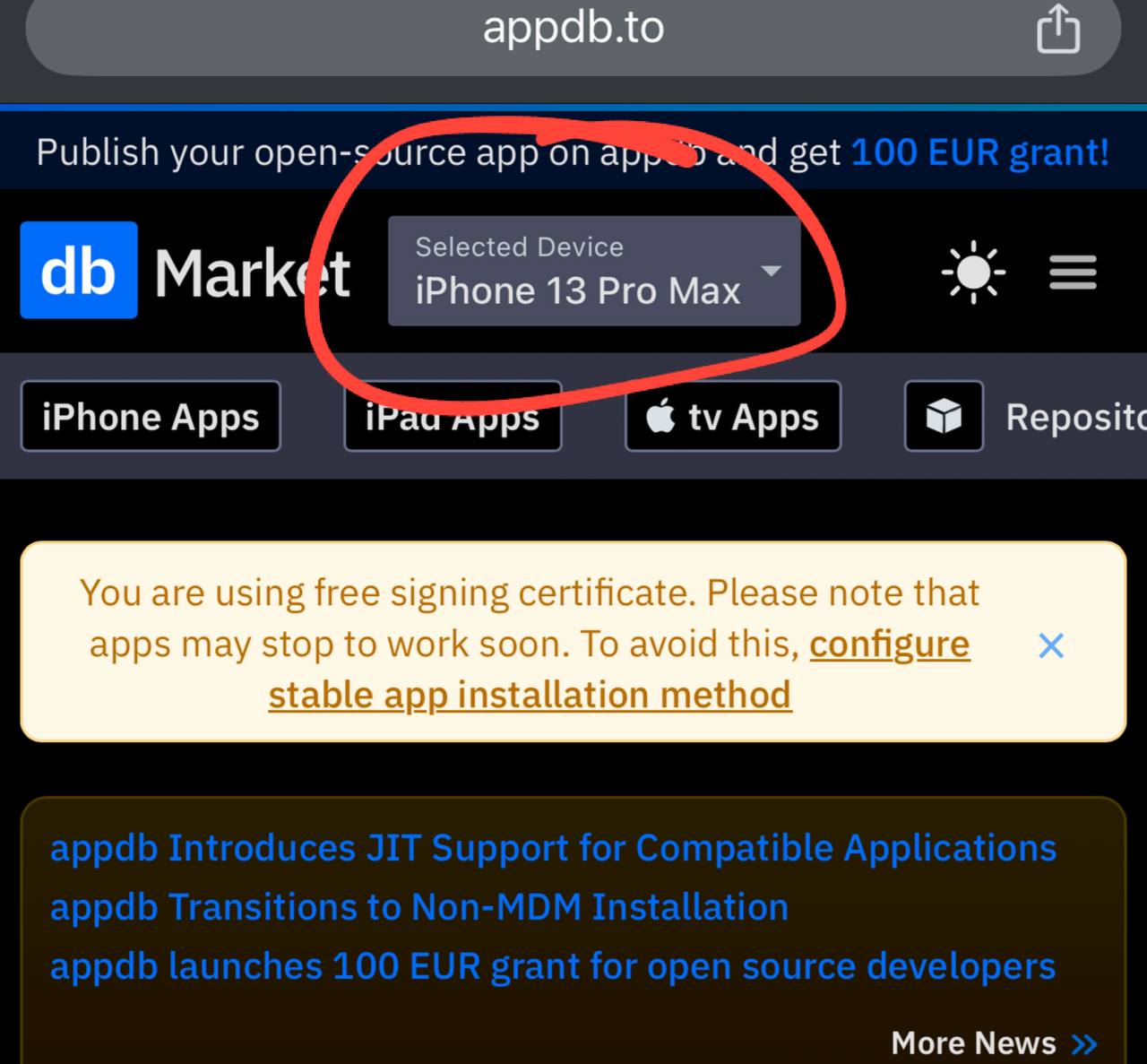
- From the AppDB website, click on your device name in the dropdown at the top
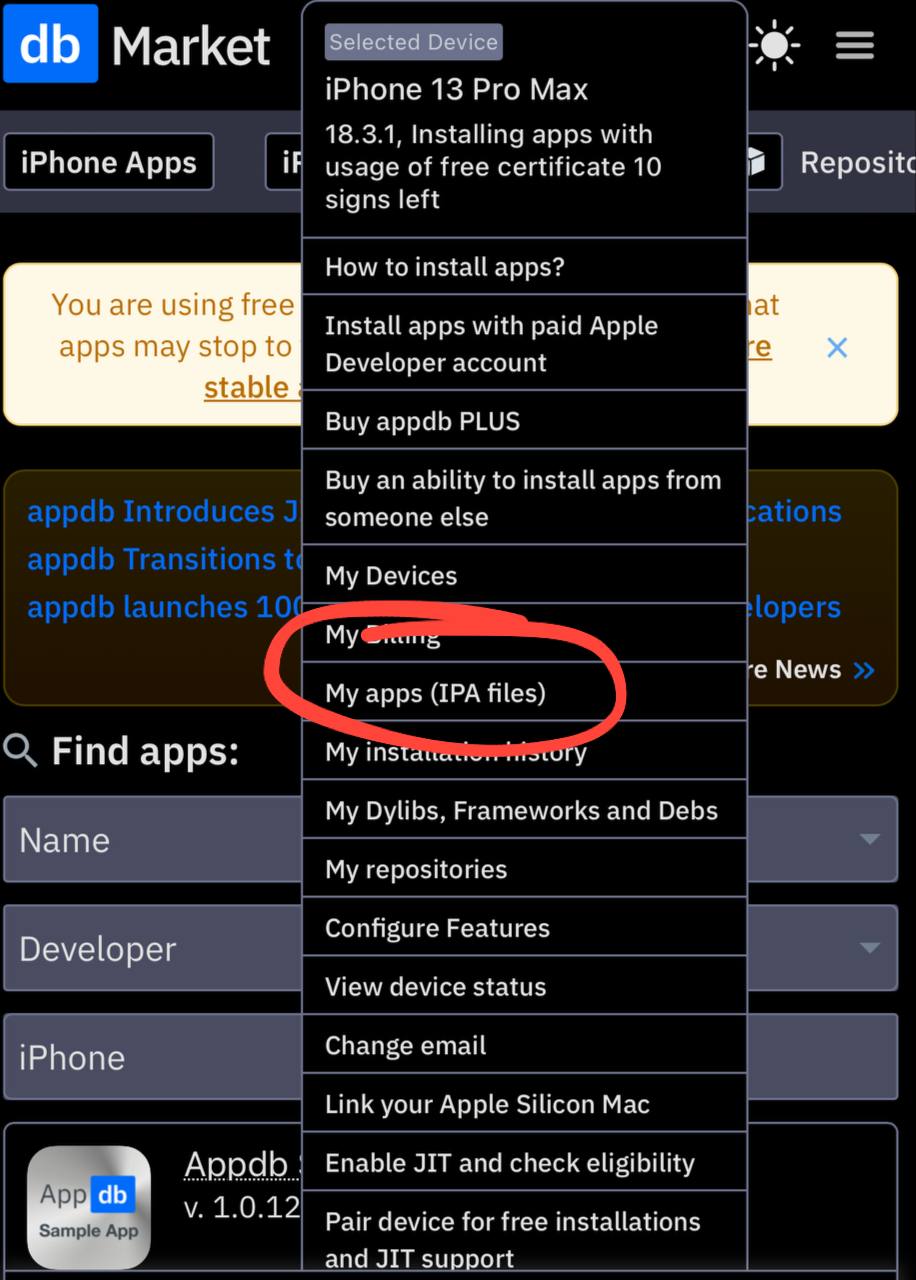
- In the dropdown menu, select "My apps (IPA files)"
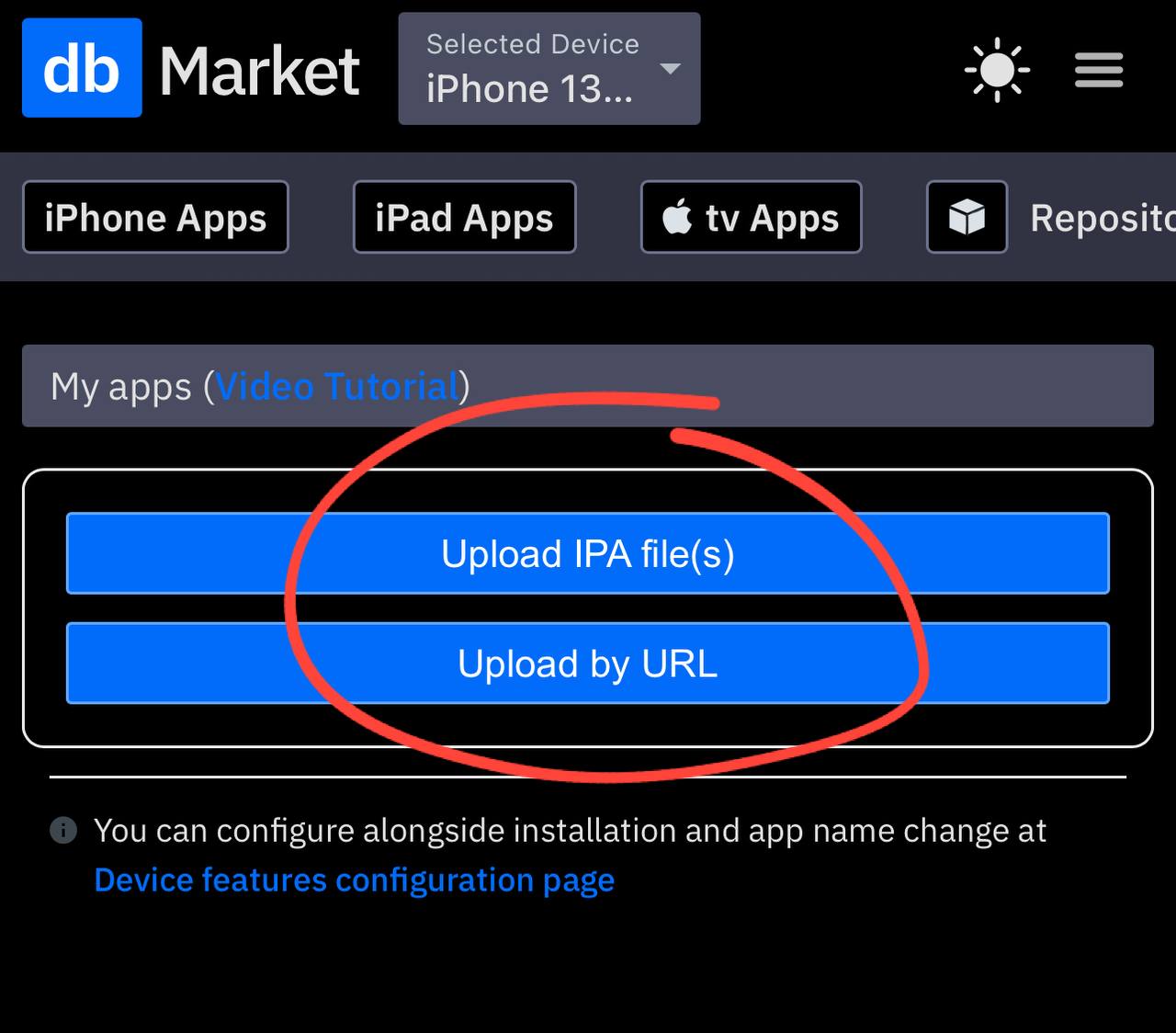
- Choose either "Upload IPA file(s)" or "Upload by URL" depending on where your IPA file is located
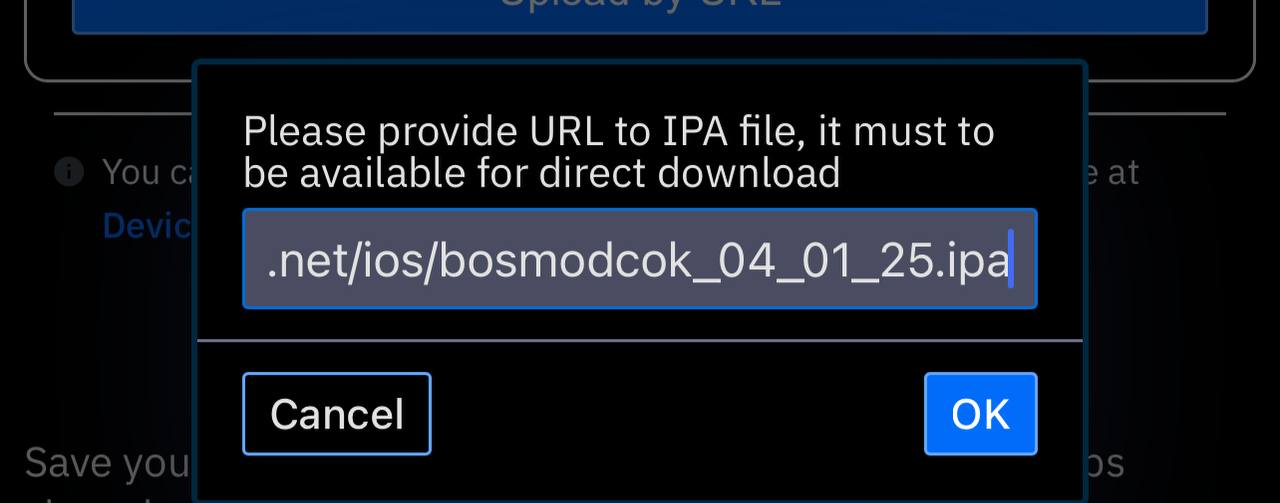
- If uploading by URL, enter the direct download link to the IPA file
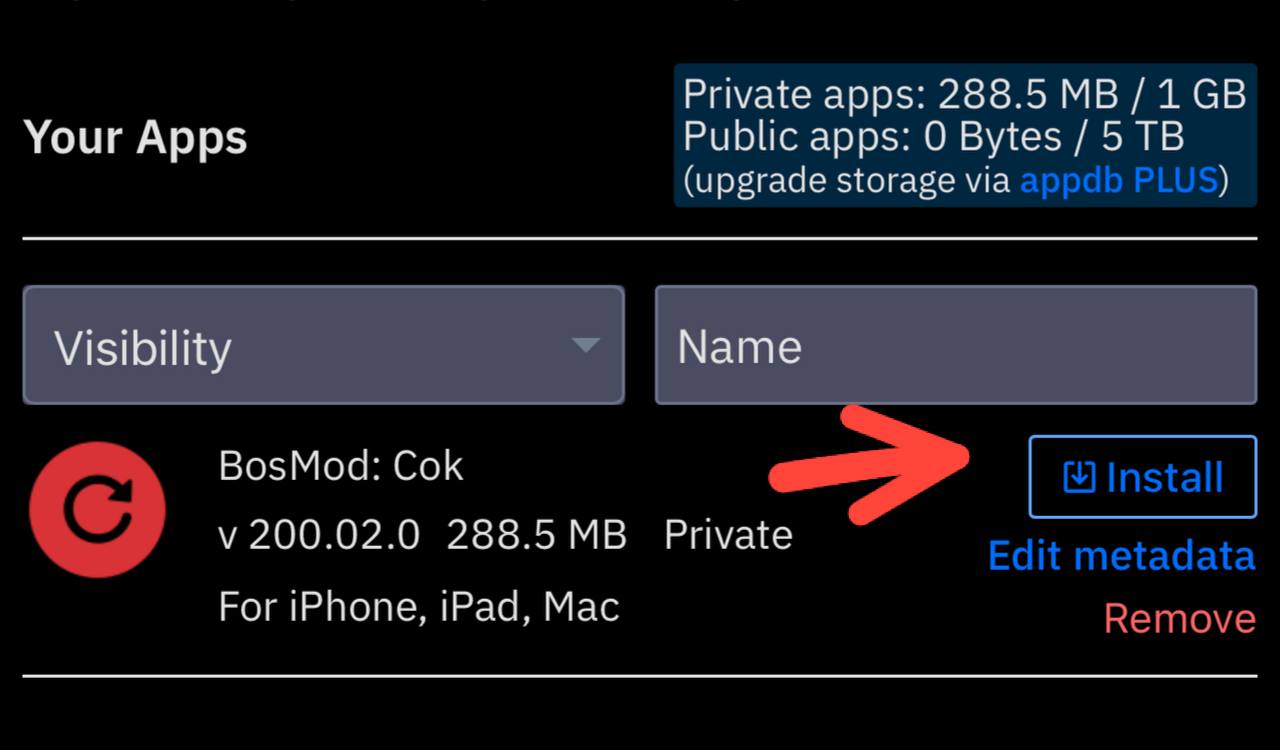
- Once the IPA is uploaded, click "Install" next to the app name
- Confirm installation when prompted on your device
Your device should now be connected (iPhone 13 Pro Max shown in this example)
Select "My apps (IPA files)" from the dropdown menu
Choose how you want to upload your IPA file - either directly or via URL
Enter the URL of the IPA file if uploading by link
Click "Install" to install the uploaded app
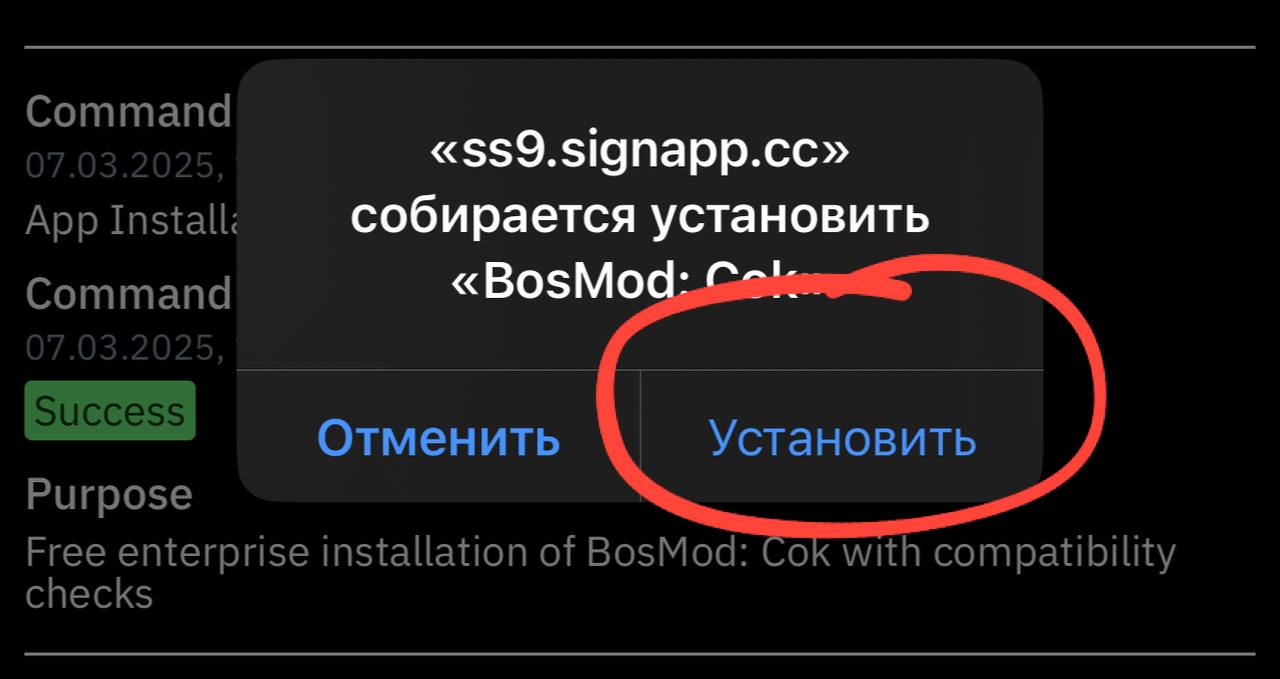
App is ready! Tap "Install" to confirm installation
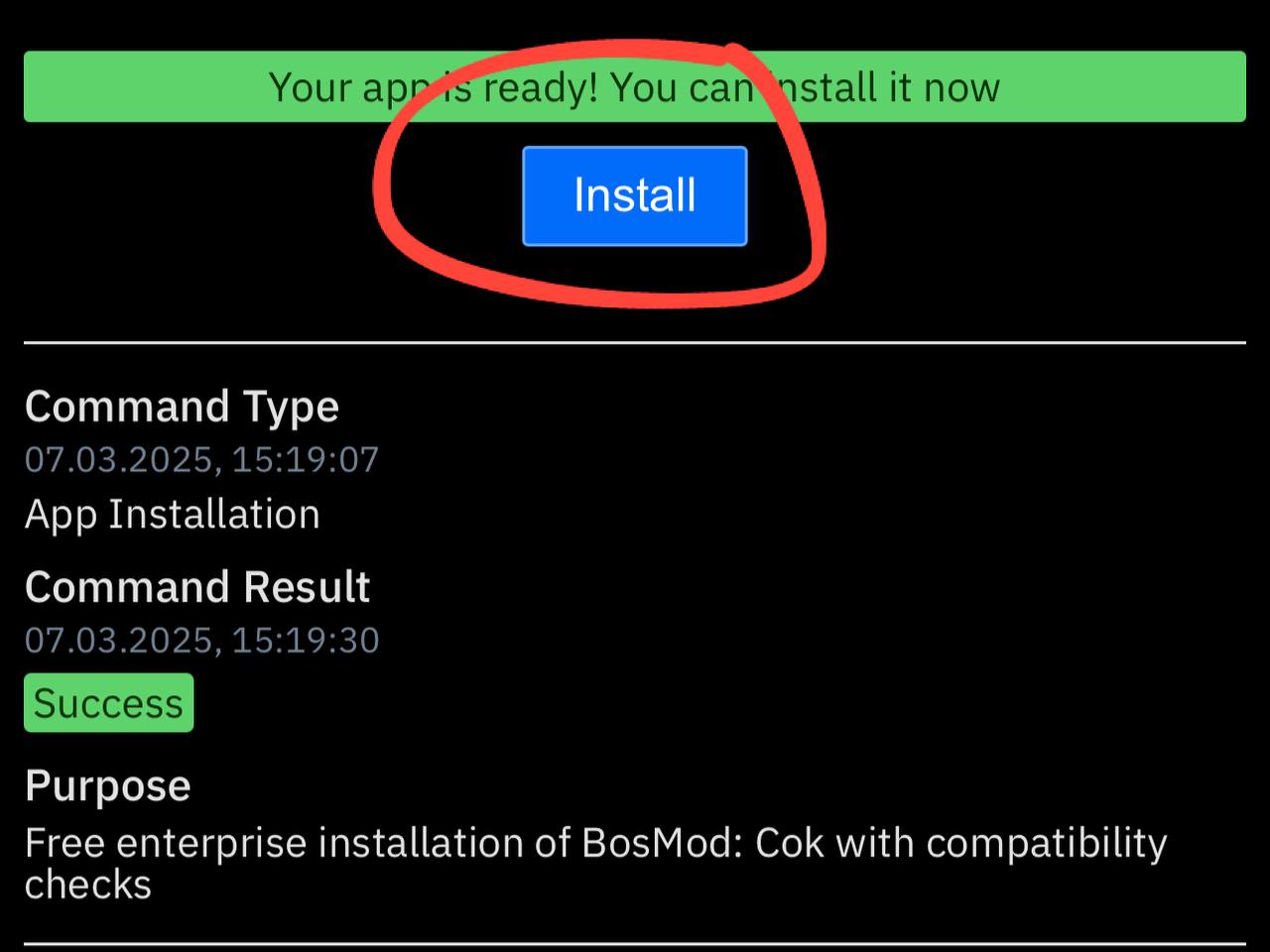
You'll see "Success" when the installation is complete
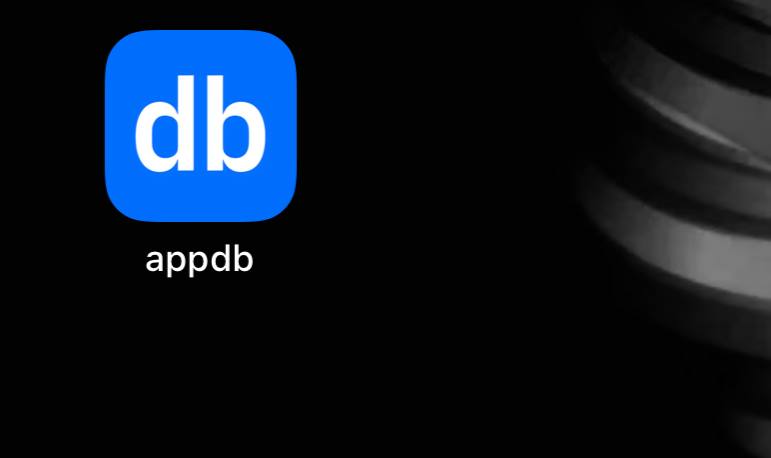
The app will appear on your home screen
Important: When launching an installed app for the first time, you may need to confirm that you trust the app developer. To do this, go to Settings → General → Profiles & Device Management, find the developer profile, and tap "Trust".
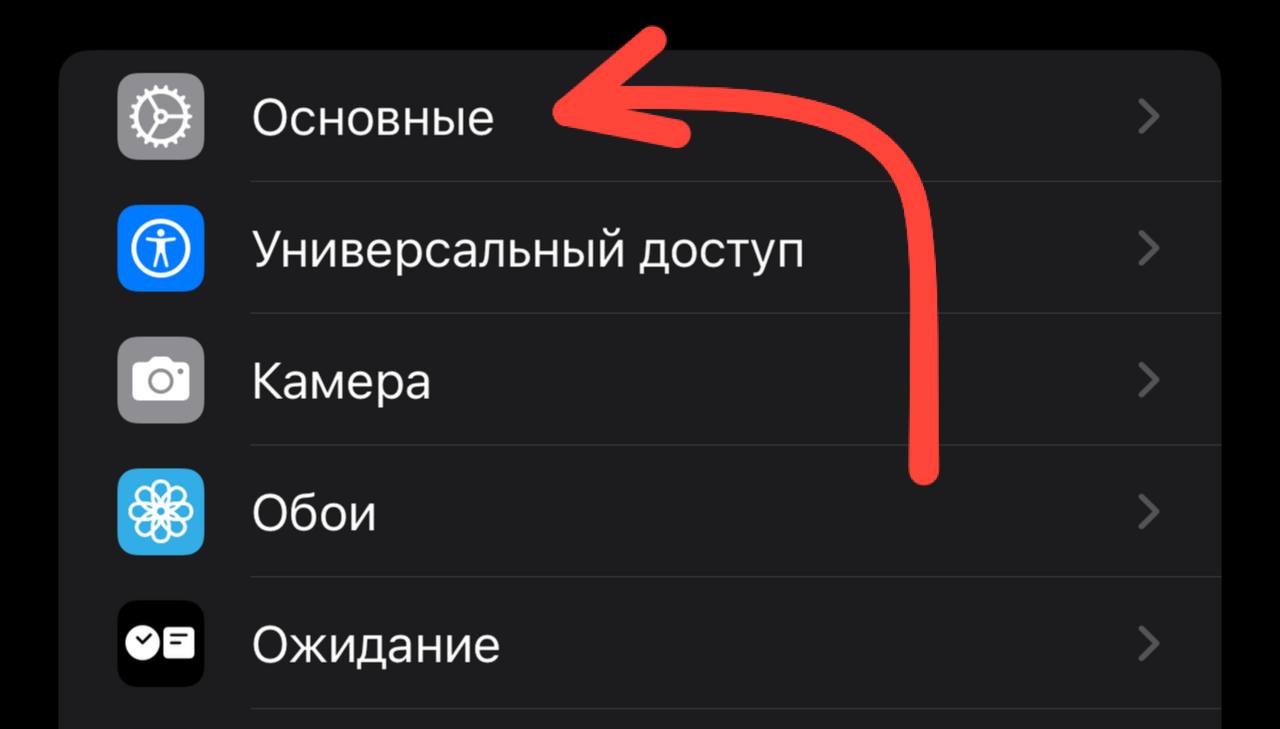
Settings and then go to "General"
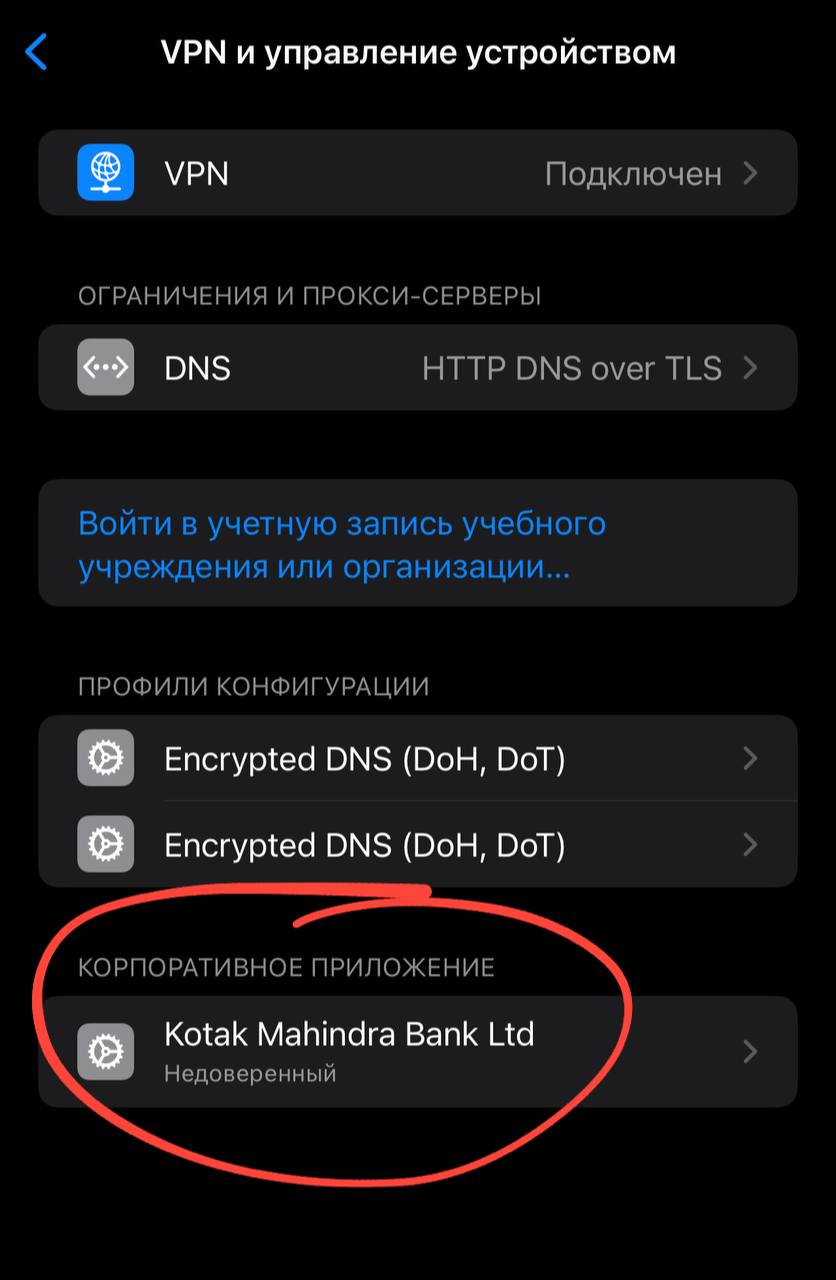
You should see "Enterprise Application"
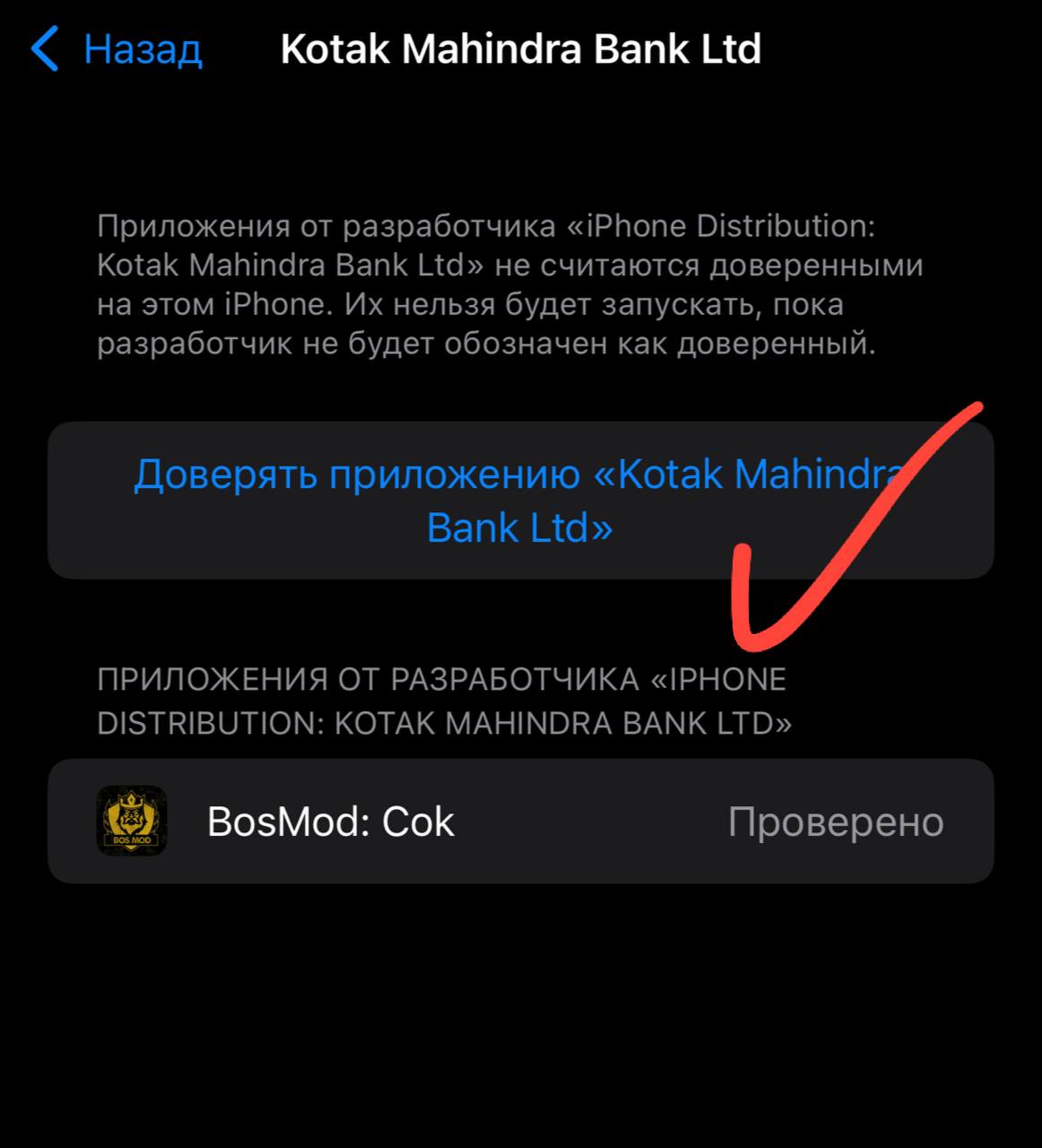
Click "Trust the app"
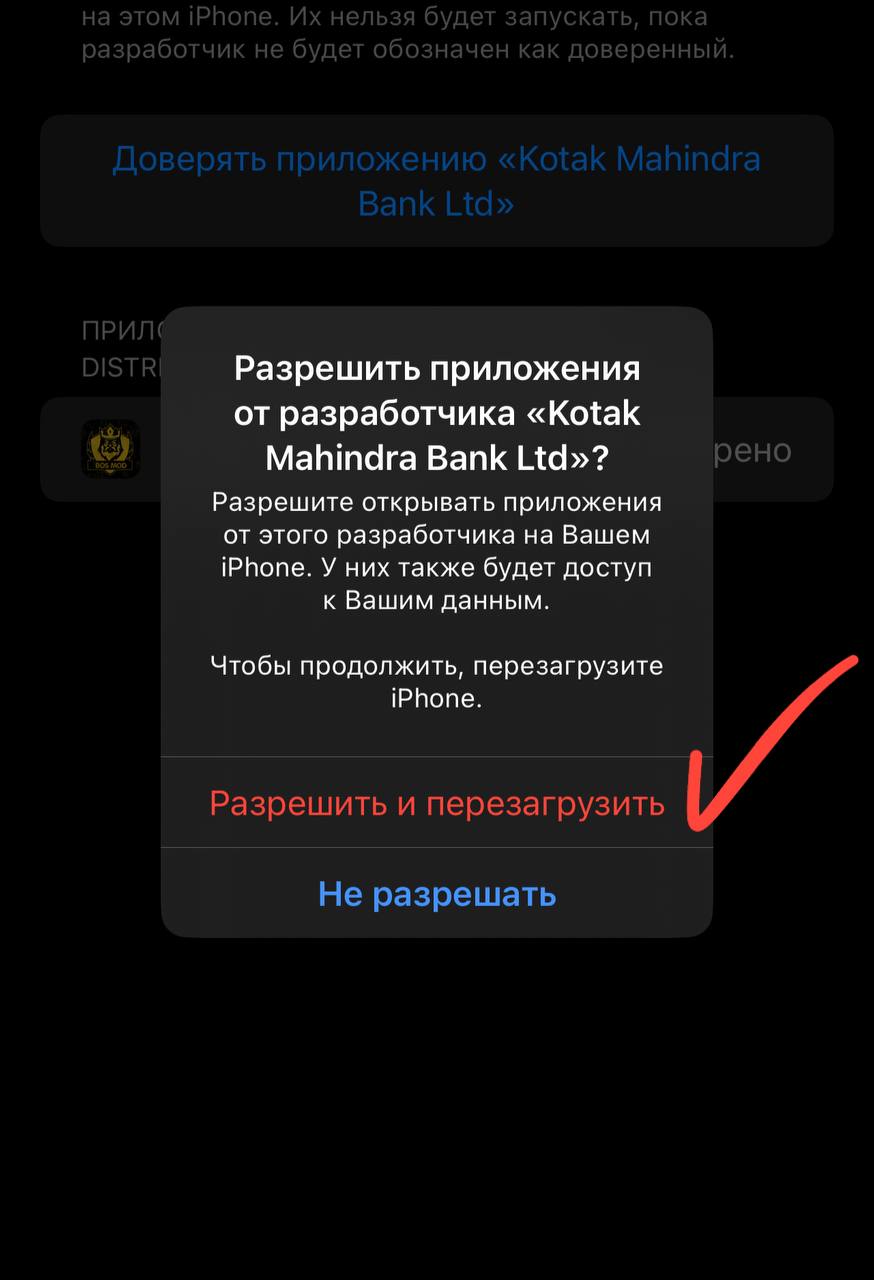
Click "Allow and Restart"
5. PRO Version Benefits
AppDB.to offers a PRO subscription with the following benefits:
- Increased limit on the number of installable applications
- Access to an expanded catalog of apps and games
- Ability to use your own Apple Developer certificate
- More stable application performance
- Longer validity period for signed applications
- Priority technical support
- Ability to request the addition of specific applications
To purchase a PRO subscription:
- Log in to your AppDB.to account
- Go to the "PRO" section
- Choose a suitable plan
- Follow the payment instructions (various methods are supported, including cryptocurrencies)
6. Troubleshooting
App Won't Install
- Make sure your device has enough free space
- Check your internet connection stability
- Restart your device and try again
- Check if the configuration profile has expired
"Unable to Verify App" Error
- Go to Settings → General → Profiles & Device Management
- Find the app developer's profile
- Tap "Trust"
App Crashes on Launch
- Make sure you've installed the latest version of the app from AppDB
- Restart your device
- Try deleting and reinstalling the app
- Check the app's compatibility with your iOS version
Profile Has Expired
Profiles have a limited validity period (usually 7 days for free users and up to 1 year for PRO users). If your profile has expired:
- Repeat the device linking process
- Reinstall the applications
- Consider purchasing a PRO subscription for a longer validity period
7. Frequently Asked Questions
Is it safe to use AppDB.to?
Installing applications from unofficial sources always carries certain risks. It's recommended to use a separate Apple ID (not your main one), avoid storing sensitive information on the device, and only install verified applications.
How often do I need to update the profile?
For free users - usually every 7 days. For PRO users, the period can be up to 1 year, depending on the certificate used.
Can installed apps access my data?
Theoretically, yes. Therefore, it's recommended to be cautious and only install verified applications from reliable developers.
What should I do if AppDB.to is not working?
Services of this type may temporarily be unavailable or blocked. In such cases, you can check the service status on AppDB's official channels (Twitter, forum) or consider alternative services.
Can I install updates for apps?
Yes, when an update is available for an installed application, you will receive a notification on the AppDB site. The update process is similar to the installation process.
↑